

Boost Your Property Visibility with A4 & A5 Flyers
Printed flyers may seem retro in today’s digital world, but they remain one of the most effective marketing tools for property owners. Whether you’re selling a scenic countryside retreat or a modern townhouse, A4 and A5 flyers offer a tangible, local way to extend the reach of your listing beyond the website.
What Is a Property Flyer?
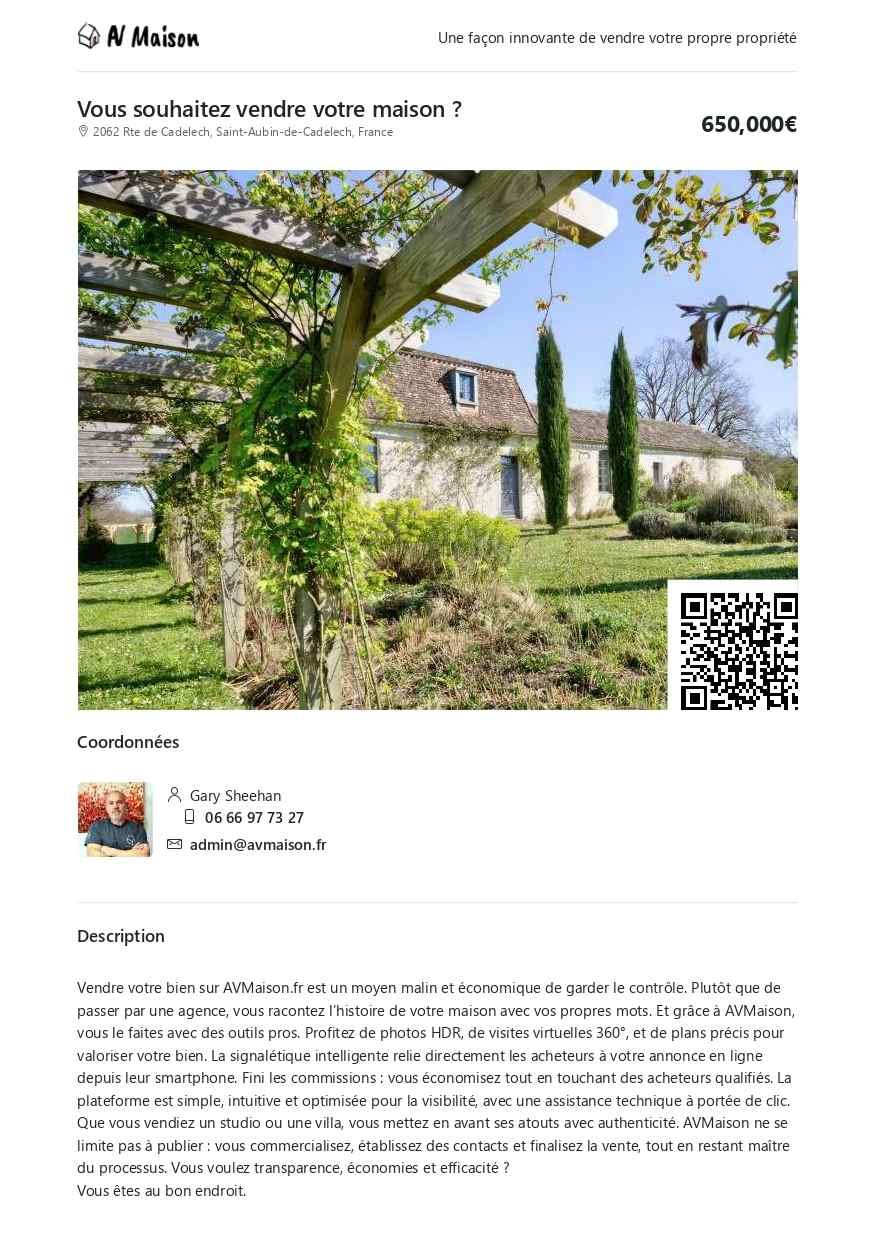
A flyer is a concise printed snapshot of your listing on avmaison.fr, typically in A4 or A5 format. It includes:
- An eye-catching photo
- Price and short description
- Contact details
- QR code to the full listing
Designed for portability and quick impact, flyers make your property impossible to forget.
Why Printed Flyers Still Matter
They’re tangible and memorable. Digital ads vanish in a swipe — but a flyer lives on countertops, pinboards, and shop windows.
Many potential buyers aren’t browsing online. Flyers connect you with walk-ins and locals and reach offline buyers
Where to Use Your Flyers
Make the most of your flyer by distributing them in:
- Local cafés, shops, and information centres
- Open houses or viewing appointments
- Community noticeboards and tourist information points
- Property windows and entryways
- Direct handouts to neighbours or passersby
Owners can promote their home directly within their neighbourhood — especially useful in small towns and villages.
The QR code on your flyer gives viewers instant access to your full property listing on avmaison.fr.
Ready to Create Your Flyer?
Printed flyers are simple but powerful. They combine visual charm with strategic reach — and they’re a natural companion to your online listing.
Let avmaison.fr help you showcase your property in style, both online and off.
How to Create Your Property Flyer
Creating a flyer from your listing on avmaison.fr is simple and takes just a few minutes. Here’s a step-by-step guide to help you make the perfect printable version:
- Edit Your Listing Description (INCLUDE YOUR PROPERTY REF IN THE PROPERTY DESCRIPTION)
Flyers require concise descriptions — limit yours to less than 200 words for optimal layout. If you’re unsure how to shorten it, try using a rewriting tool like Copilot to simplify and refine your text. Keep the core details and avoid long sentences.
Important : Save your original description separately — you’ll want to restore it once your flyer is made. - Access Your Listing
Go to the front end of your listing on the website. Locate the main photograph of the property — the flyer print button is positioned just above the price, on the right-hand side.
Click the button to open your flyer preview. - Print Your Flyer
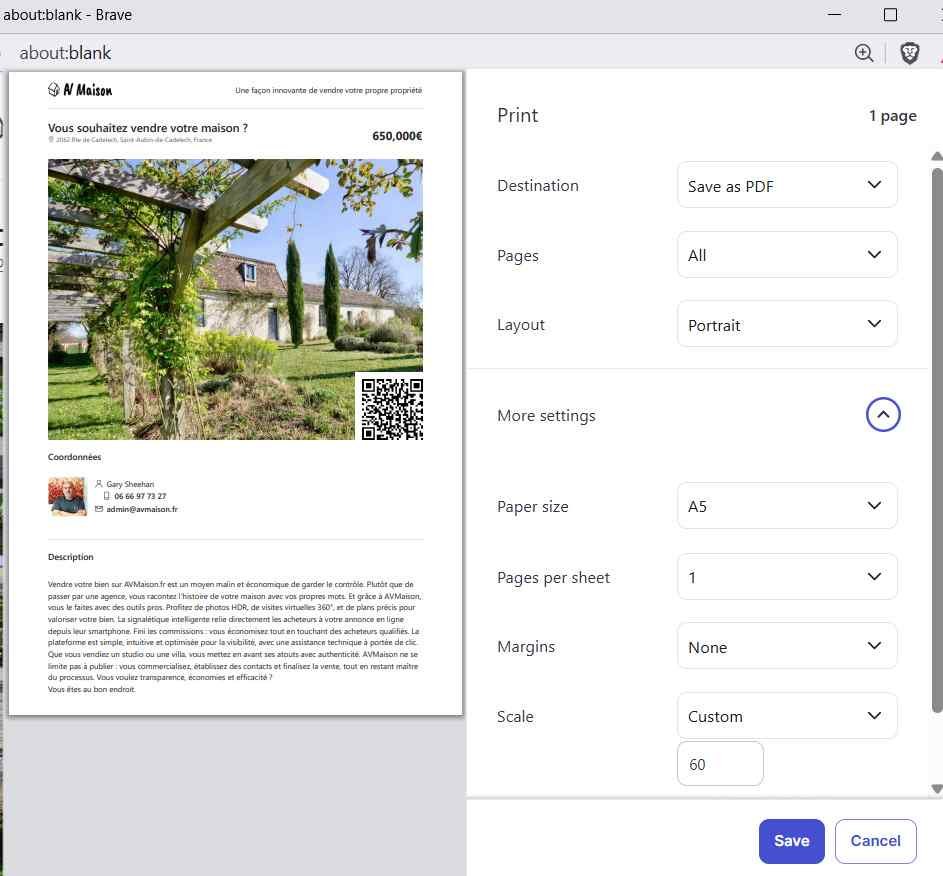
In your printer settings, select:
- Layout: Portrait
- Paper Size: A4 or A5 (larger is fine if preferred)
- Margins: None
- Pages per sheet: 1
- Scale:
- 80% for A4
- 60% for A5
Adjust the scaling slightly if your description feels cramped.
Save as PDF
Rather than printing straight to paper, you can save your flyer as a PDF — perfect for emailing, digital distribution, or printing later.

 English (UK)
  Français